Contractor Estimating & Job-Profit System
Bid every job by the numbers and know your profit before you sign
A 9-tab Excel estimating system for contractors: materials takeoff, burdened labor, equipment and subs, overhead allocation, markup-vs-margin pricing, a job-profit dashboard, and a client-ready proposal.
Most small contractors price from memory and a calculator, then find out at the end of the job whether it made money. Overhead never gets charged to the job, labor burden gets forgotten, and a 20% markup quietly turns into a 16% margin. One under-bid month can erase a quarter of profit.
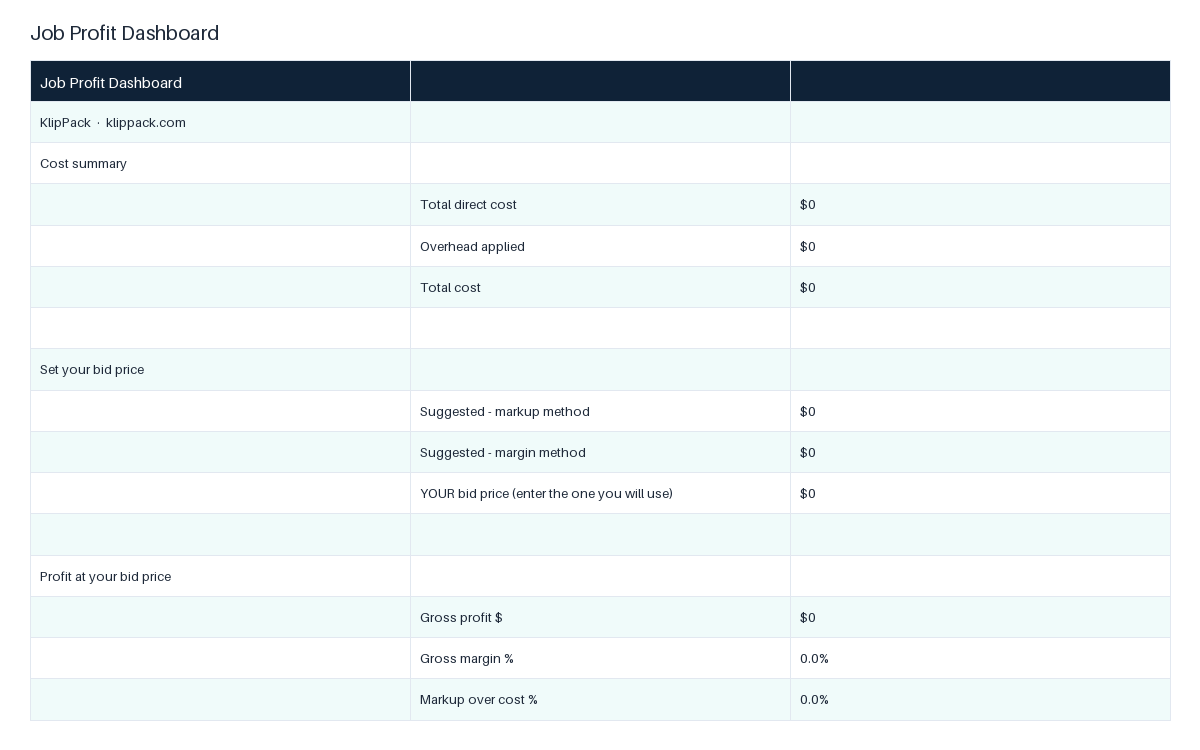
This workbook carries your numbers from takeoff to a signed proposal in one file. The Setup tab holds your business info and defaults: labor burden, sales tax, default crew rate, markup, target margin, and monthly overhead divided by billable crew-hours. Three cost tabs take the job itself: 20 material lines with quantity and unit cost plus tax, 15 labor tasks with crew size, hours, and a rate that falls back to your default and adds burden automatically, and 12 equipment or subcontractor lines. The Overhead & Markup tab totals direct cost, applies overhead per labor hour, and shows two suggested prices, one by markup and one by target margin. The Job Profit Dashboard takes the bid you actually choose and returns gross profit, gross margin, markup over cost, and profit per labor hour. The Client Proposal tab pulls your business details and the total, adds a deposit split, and prints clean. A Cost Library lists 32 reference line items across seven trade groups (concrete, framing, drywall, paint, flooring, roofing, and mechanical subs) with blank unit-cost cells for your local prices. 68 formulas in total, no sample data, no macros.
The first 15 minutes: fill the Setup tab once with your rates and overhead, enter a job you already bid into the three cost tabs, then read the Dashboard to see whether that bid actually hit your target margin. From then on every estimate starts from the same defaults, and the proposal is ready the moment the numbers are.
Who it's for
For solo and small-crew contractors, remodelers, and handyman businesses who bid their own work and want one file that carries a job from takeoff to proposal. Not for a single-trade sub who only needs a fast quantity takeoff; the Concrete, Painting, and Drywall templates do that in one sheet.
Use it when
- You have a walkthrough tomorrow and need a proposal with deposit terms the same day
- A job you thought was profitable came in flat and you need to see where the margin went
- You are hiring a second crew and need overhead spread across jobs instead of absorbed
- You want to compare a markup price against a target-margin price before sending the bid
- You are pricing a multi-trade remodel and need materials, labor, and subs in one total
What you download
Every file in the XLSX download.
Inside the files
- Setup tab: labor burden, tax, markup, target margin, overhead per hour
- Materials takeoff: 20 lines, quantity x unit cost, sales tax applied
- Labor tab: 15 tasks, crew x hours x rate, burden added automatically
- Equipment & Subs: 12 lines for rentals and subcontractor quotes
- Overhead & Markup: two suggested bids, by markup and by target margin
- Job Profit Dashboard: gross profit, margin, and profit per labor hour
- Client Proposal: auto-fills business info, total, deposit, and balance
- Cost Library: 32 reference line items across 7 trade groups
What changes once you use it
- 1Stop under-bidding: every job carries its share of overhead and profit
- 2See gross margin before you sign, not after the job loses money
- 3Price by markup or by target margin and compare both on one screen
- 4Hand clients a clean proposal with deposit and balance already split
- 5Reuse one set of rates and overhead across every estimate
Common questions
What software do I need?
Microsoft Excel or Google Sheets. The file is a standard .xlsx with ordinary formulas, no macros, so it also opens in LibreOffice and Numbers.
Does it work for my trade?
Yes. The cost tabs are trade-agnostic, and the Cost Library covers concrete, framing, drywall, paint, flooring, roofing, and mechanical subs. For a deep single-trade takeoff, pair it with the Concrete, Painting, or Drywall estimate template.
What is the difference between markup and margin?
Markup is a percentage added to your cost. Margin is the share of the final price that is profit. The Overhead & Markup tab shows both prices side by side, and the Dashboard reports both figures for the bid you choose, so a 20% markup is visible as the 16.7% margin it really is.
Why not a free template or ChatGPT?
Free estimate sheets price materials and labor and stop there. This one charges overhead to the job by labor hour, adds burden to every labor line, lets labor rows fall back to a default crew rate, and feeds the chosen bid into a proposal. Those cross-sheet links are what a one-tab freebie or a generated table does not give you.
Is it a one-time purchase?
Yes. Pay once, keep the file, and future updates to this product are included.
You might also like
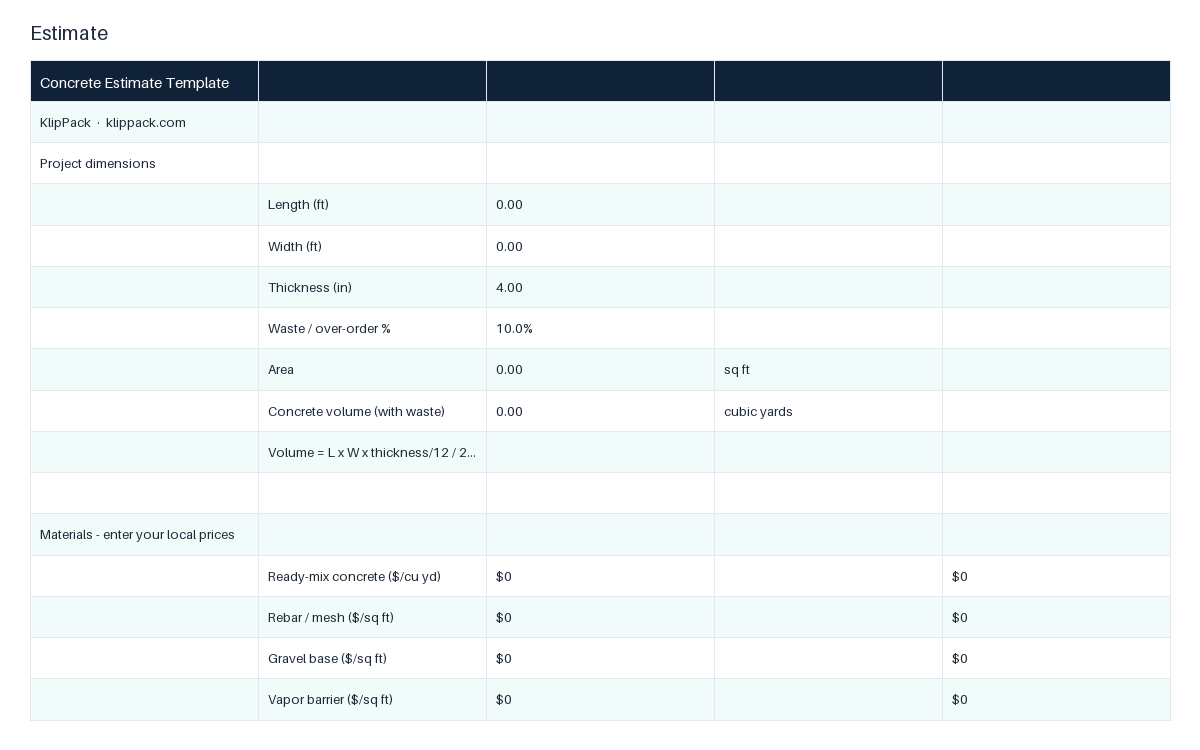
Concrete Estimate Template
Slab and flatwork takeoff to a priced bid in one Excel sheet
- ✓Dimensions: length x width x thickness to sq ft and cubic yards
- ✓Materials: ready-mix, rebar or mesh, base, vapor barrier, forms, pump
- ✓Sales tax applied to the materials subtotal
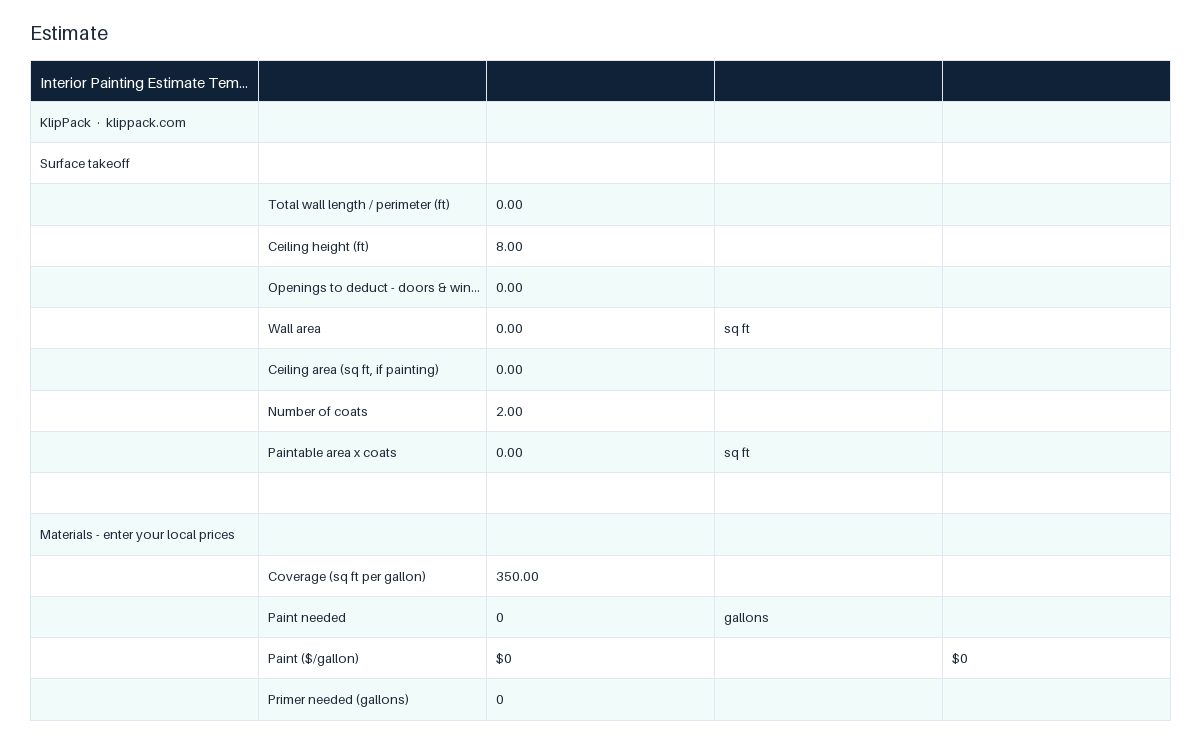
Interior Painting Estimate Template
Wall and ceiling takeoff to gallons, labor hours, and a priced bid
- ✓Takeoff: perimeter x height minus openings, plus ceiling, x coats
- ✓Paint order: gallons rounded up from your coverage per gallon
- ✓Materials: paint, primer, and sundries with sales tax applied
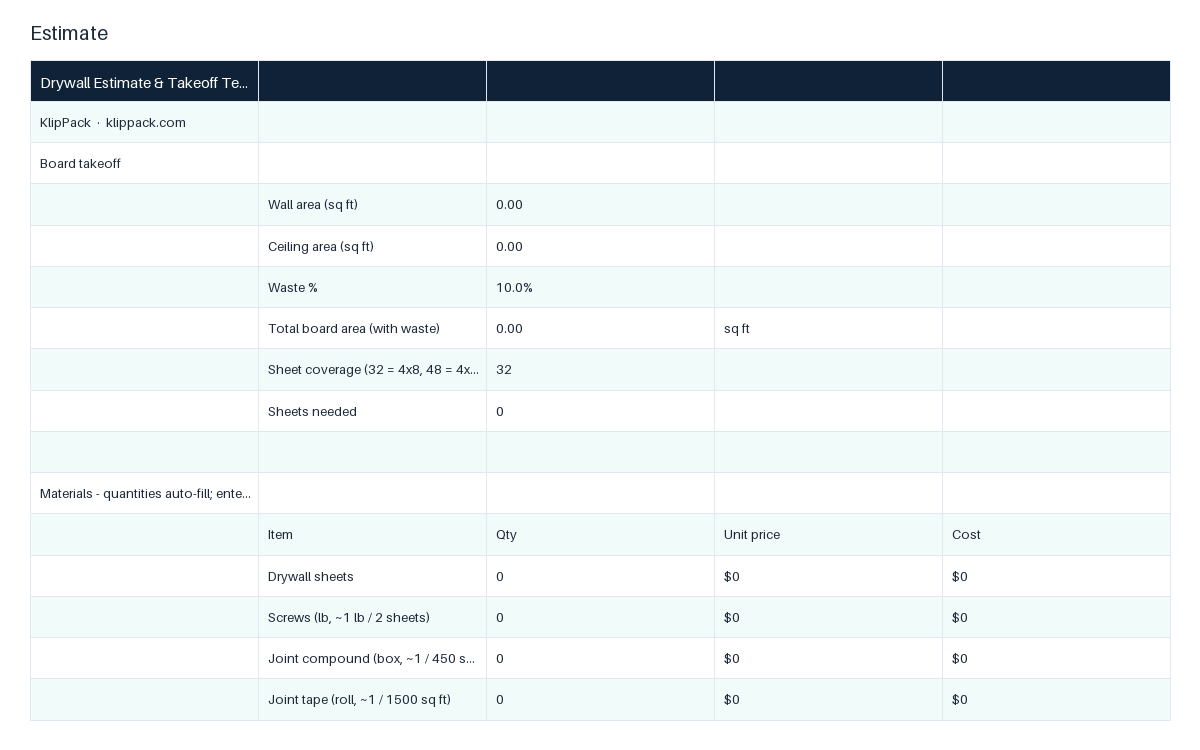
Drywall Estimate & Takeoff Template
Board area to sheets, screws, mud, tape, and a priced bid
- ✓Board takeoff: wall plus ceiling area with waste, rounded to sheets
- ✓Sheet size selector: 4x8 or 4x12 coverage
- ✓Consumables auto-fill: screws, joint compound, tape from board area