Rehab Project Tracker
Run a renovation from demo to punch list with one 5-tab Excel workbook
A 5-sheet Excel rehab tracker: 60-line scope with budget vs actual, 3-bid contractor comparison, 10-draw schedule, a 26-week formula-driven Gantt timeline, and a punch list with an open-item count.
A rehab goes sideways in the gaps: a contractor says the budget is fine while the actuals say otherwise, a draw is released before the milestone is really done, and the schedule lives in three people's heads. Flippers, BRRRR investors, and owner-builders managing their own crews all hit the same wall around week three, when spend, draws, and dates stop lining up.
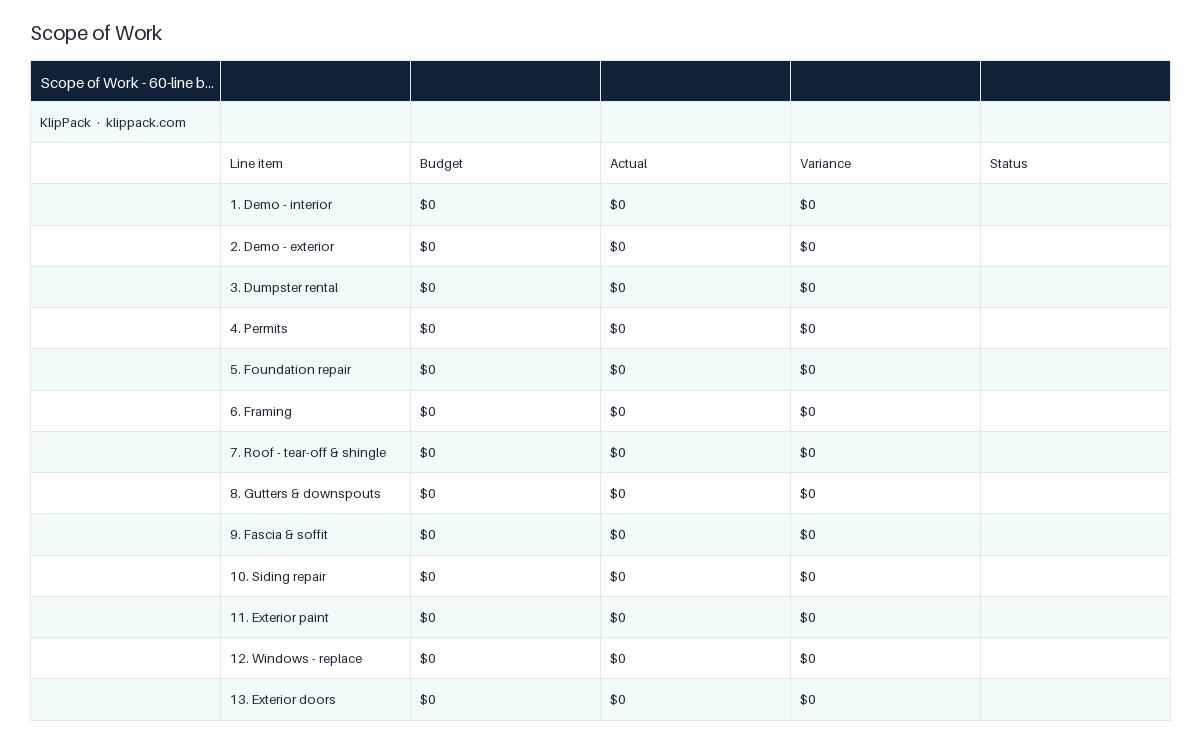
This workbook keeps all of it in one file. The Scope of Work sheet lists 60 common line items from interior demo through contingency, each with budget, actual, an automatic variance, and a status dropdown; totals, lines complete, and percent of budget spent calculate at the bottom. The Contractors sheet compares three bids across 12 trades and picks the low bid per trade with a formula, then sums the low bids. The Draw Schedule tracks 10 milestones from mobilization to retainage release with percent of total and cumulative drawn, plus drawn-to-date and remaining. The Timeline sheet turns a start and end date for each of 16 phases into day counts and a 26-week Gantt bar built from formulas, with conditional formatting that shades the bars and flags Blocked and Done rows. The Punch List holds 40 items with room and an Open/Done/N/A dropdown and counts open items. In total the file carries 560 formulas across 5 sheets.
The result is a single source of truth you can hand to a lender, partner, or contractor and defend line by line. To start: open Scope of Work and enter your budget per line, leaving unused lines at zero. Then enter the three bids you collected on the Contractors sheet and copy the winning contractor name into the Hired column. Finally, type a start and end date for each phase on Timeline and the Gantt fills itself.
Who it's for
For flippers, BRRRR investors, and owner-builders who have a rehab under way and need spend, bids, draws, and dates in one defensible file. Not for estimating a deal you have not bought; use the Fix & Flip Profit Calculator for that.
Use it when
- Your lender asks for a draw and you need to show which milestones are done and what has been drawn to date
- Three contractors sent bids and you want the low bid per trade and the job total in one view
- Week three of a flip and you need to know which of 60 lines are over budget right now
- A partner asks when flooring starts and you want a shaded week-by-week schedule to send
- Final walkthrough: you need a punch list by room that counts what is still open
What you download
Every file in the XLSX download.
Inside the files
- Scope of Work: 60 line items with budget, actual, variance, and status
- Contractors: 3 bids across 12 trades, low bid chosen by formula
- Draw Schedule: 10 milestones, percent of total and cumulative drawn
- Timeline: 16 phases, day counts, 26-week formula-driven Gantt bars
- Punch List: 40 items by room, status dropdown, live open-item count
- 560 formulas across 5 sheets, status dropdowns on every tracking tab
What changes once you use it
- 1See budget vs actual and percent spent on every line before the next draw
- 2Pick the low bid per trade automatically and total the whole job
- 3Release draws against named milestones, not contractor say-so
- 4Watch the schedule as shaded Gantt bars that update when dates change
- 5Close out with a punch list that counts what is still open
Common questions
What software do I need?
Microsoft Excel 2016 or newer, or Google Sheets. The Gantt bars are plain formulas and conditional formatting, so they work in both; no macros or add-ins.
Why not a free rehab spreadsheet or ChatGPT?
Free sheets are usually a single budget tab. This one links five stages of the same job: the scope totals, the bid comparison that picks the low bid per trade, a draw schedule with cumulative percent, a date-driven Gantt, and a punch list. ChatGPT can describe that structure, but it will not hand you 560 working formulas you can type dates into today.
Can I add or rename line items?
Yes. Every sheet is unlocked. Rename any of the 60 scope lines, change the 12 trades, or add rows; the totals use ranges you can extend.
Does the timeline really draw a Gantt chart?
Yes. Enter a start and end date per phase and the Timeline sheet shades one cell per week across 26 weeks using formulas and conditional formatting. It is a cell-based Gantt, not an Excel chart object.
I need to estimate the rehab first. Is this the right file?
No. This file tracks a job you have already scoped and priced. To estimate repair costs and a maximum offer, use the Fix & Flip Profit Calculator, then bring the numbers here as your budget.
📈 Scale: Systematize and grow the business
Got this handled? Here's what comes next in the deal.
Wholesaler SOP Bundle
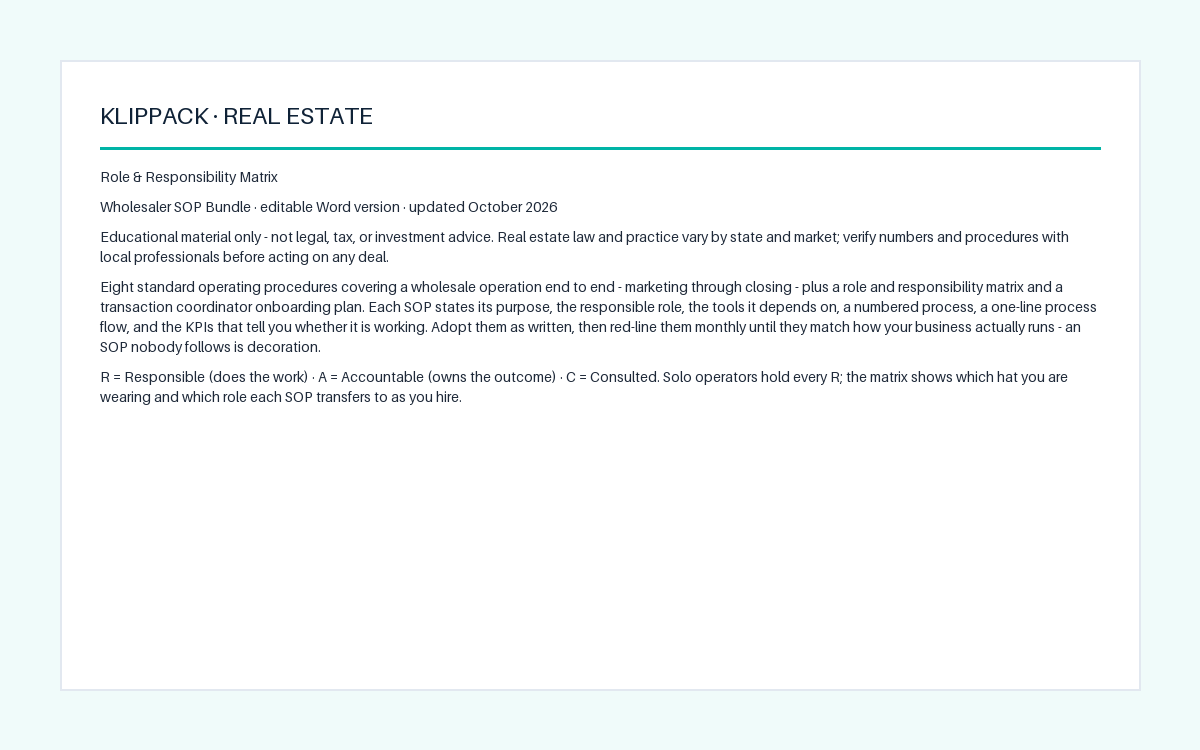
Eight written SOPs so your wholesale business runs on process, not on you
- ✓8 SOPs, each with purpose, owner, tools, 6-8 steps, and 3 KPIs
- ✓Role and Responsibility Matrix: 8 processes, 5 roles, R/A/C coded
- ✓One-line process flow in every SOP, from trigger to handoff
Real Estate Investor Business Plan Kit
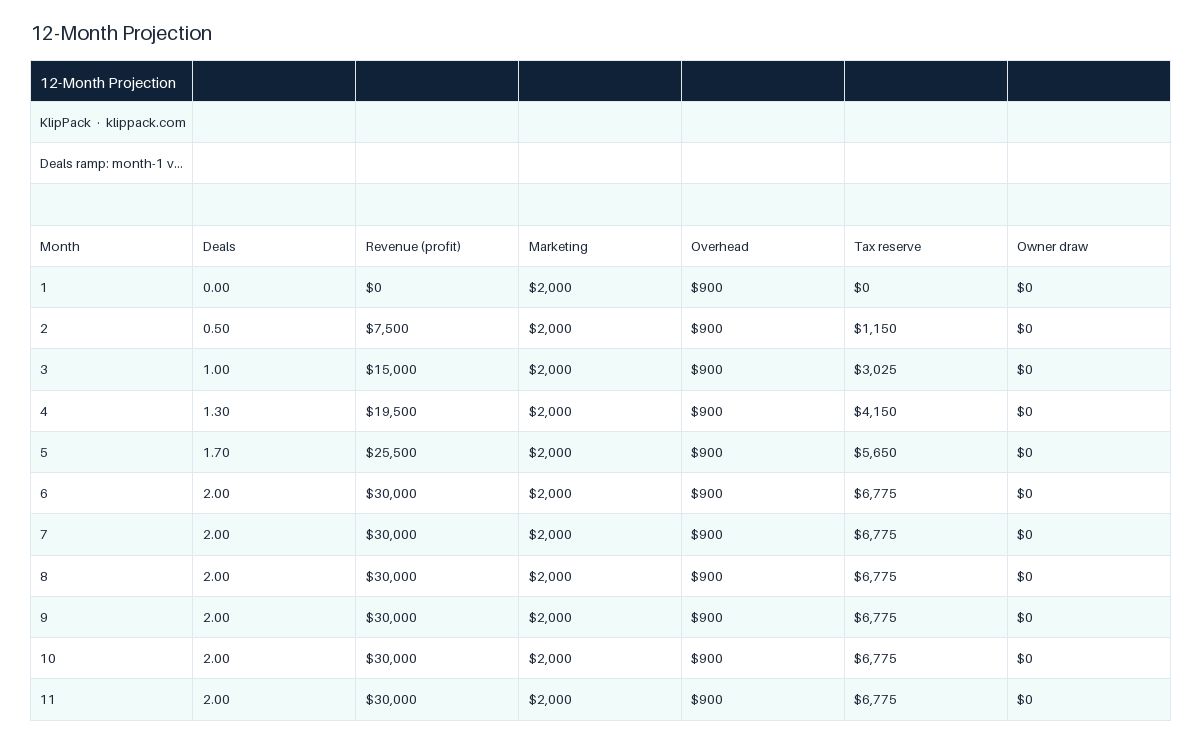
Write the strategy, buy box, and 12-month plan before you risk a dollar
- ✓9 fill-in sections from Investment Strategy to Team and Systems
- ✓Financial Goals Dashboard: income to deals to contracts to leads
- ✓Acquisition Criteria with MAO formula, rental screens, and no-go list