Subject-To Deal Workbook
Underwrite, explain, and document a subject-to deal with the numbers and paperwork
An editable subject-to investing kit: an Excel deal calculator with a 360-month loan payoff schedule, plus Word files for the seller conversation script, a 30-item due diligence checklist, three disclosure templates, and a seller FAQ guide.
Subject-to deals, where you take title and keep the seller's existing mortgage in place, can be the cheapest way into a property. They are also where investors get hurt: a loan balance that was estimated instead of pulled from the statement, a seller who did not really understand that the loan stays in their name, or a due-on-sale clause nobody read. Most free material covers the concept and stops before the part that protects you, which is the math and the paperwork.
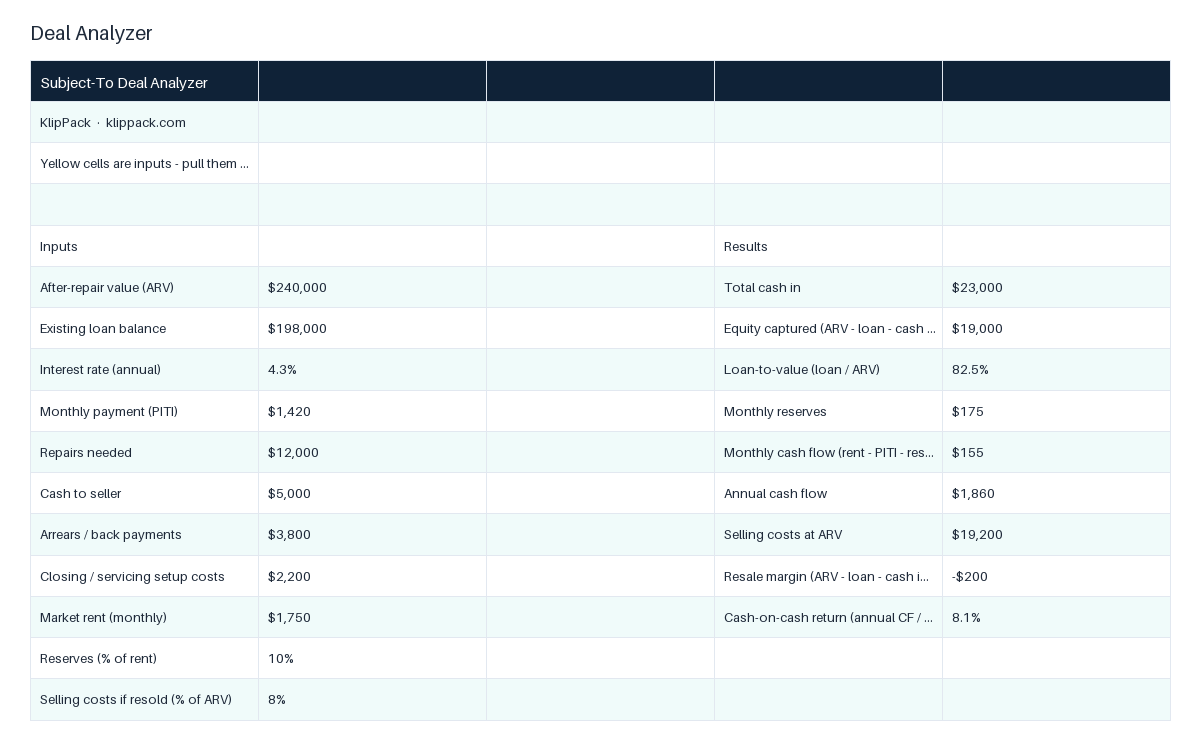
This workbook ships as a zip with six editable files and a 4-page Start-Here PDF. The Excel calculator has a Deal Analyzer sheet with 15 formulas: enter ARV, loan balance, rate, PITI, repairs, cash to seller, arrears, closing costs, market rent, and your reserve and selling-cost percentages, and it returns total cash in, equity captured, loan-to-value, monthly and annual cash flow, resale margin, and cash-on-cash return, then runs a three-test decision rule (LTV under 80 percent, positive cash flow, equity above your minimum) into a PROCEED, REWORK TERMS, or PASS verdict, plus a stress test at ARV minus 10 percent and repairs plus 20 percent. A second sheet builds the seller's loan payoff schedule month by month for 360 months (1,445 formulas), linked to the analyzer inputs, with months-to-payoff and balance after 60 months. The Word files are a six-step seller conversation script that names the due-on-sale risk plainly, a 30-item due diligence checklist specific to sub-to (mortgage statement, payment history, loan type, title and lien searches, bankruptcy check, third-party servicing, insurance), three disclosure templates (Seller Acknowledgment, Authorization to Release Information, Limited Power of Attorney for loan matters), and a 12-question FAQ guide written in the seller's voice for the objections you will actually hear.
Start with the calculator: pull the real figures from the seller's mortgage statement, enter them in the yellow cells, and read the verdict before you talk numbers. Then open the conversation script and the FAQ guide before your seller meeting so the risk explanation comes out clean. Finish by working the 30-item checklist and adapting the three disclosures with your attorney. Every file is plain Word or Excel, so you can put your entity name and state-specific language in once and reuse the kit on the next deal.
Who it's for
For investors who have found a seller behind on payments or with little equity and want to underwrite, explain, and document a subject-to purchase properly. Not for wholesalers assigning cash contracts, who should use the Wholesale Deal Analyzer Pro, and not legal advice; the disclosures and contracts need a local attorney's review before use.
Use it when
- A seller behind on payments asks if you can just take over the loan; you need the numbers first
- You are meeting a seller tomorrow and need to explain the due-on-sale risk without scaring them or hiding it
- The seller's spouse or child is asking what happens to their credit; you need the FAQ answer in plain words
- You are about to close and need the acknowledgment, release authorization, and POA for the attorney
- You want to see how fast the seller's loan pays down if you hold the property five years
What you download
Every file in the XLSX / DOCX / PDF download.
Inside the files
- Excel Deal Analyzer: 15 formulas, 3-test verdict, stress test
- Loan Payoff Schedule: 360 months, linked to the analyzer inputs
- Seller Conversation Script: 6 steps that name the due-on-sale risk
- Due Diligence Checklist: 30 items specific to sub-to
- Disclosure Templates: acknowledgment, release authorization, POA
- FAQ Guide for Skeptical Sellers: 12 objections answered
- Start-Here Guide PDF with a worked example deal
- Every template is editable Word or Excel
What changes once you use it
- 1Know whether a sub-to deal works before you make the offer
- 2See the real spread between rent and PITI, not a guess
- 3Explain the strategy so the seller can repeat it back to you
- 4Prove informed consent with written disclosures
- 5Run the same 30-item check on every sub-to deal
- 6Edit once with your entity and state language, reuse forever
Common questions
What software do I need?
Microsoft Excel or Google Sheets for the calculator, and Microsoft Word or Google Docs for the five Word templates. The Start-Here Guide is a PDF. Everything arrives in one zip.
Is subject-to legal?
Buying a property subject to an existing mortgage is legal in the United States, but nearly every loan has a due-on-sale clause that lets the lender call the balance if title transfers. The script, checklist, and FAQ guide cover how to disclose that risk and how investors typically manage it. Have a local real estate attorney review every deal; the kit says so on every page.
Does the calculator handle a deal I plan to resell rather than rent?
Yes. It computes both a hold result (monthly and annual cash flow after reserves, cash-on-cash return) and a resale result (margin after selling costs), then stress-tests both with a lower ARV and higher repairs.
Why not a free template or ChatGPT?
A chat answer gives you the concept. This gives you a working spreadsheet with a linked 360-month payoff schedule and a verdict rule, a 30-item checklist that includes the bankruptcy, servicing, and insurance items beginners miss, three disclosures written to prove informed consent, and a seller FAQ in plain language. All of it is editable and already consistent with each other.
Do I still need the Wholesale Deal Analyzer?
Only if you also wholesale cash deals. This calculator is built around the existing loan (balance, PITI, arrears, payoff). For ARV-based cash offers and assignment fees, use the Wholesale Deal Analyzer Pro.
🏠 Manage: Run the rehab or the rental
Got this handled? Here's what comes next in the deal.
Rehab Project Tracker
Run a renovation from demo to punch list with one 5-tab Excel workbook
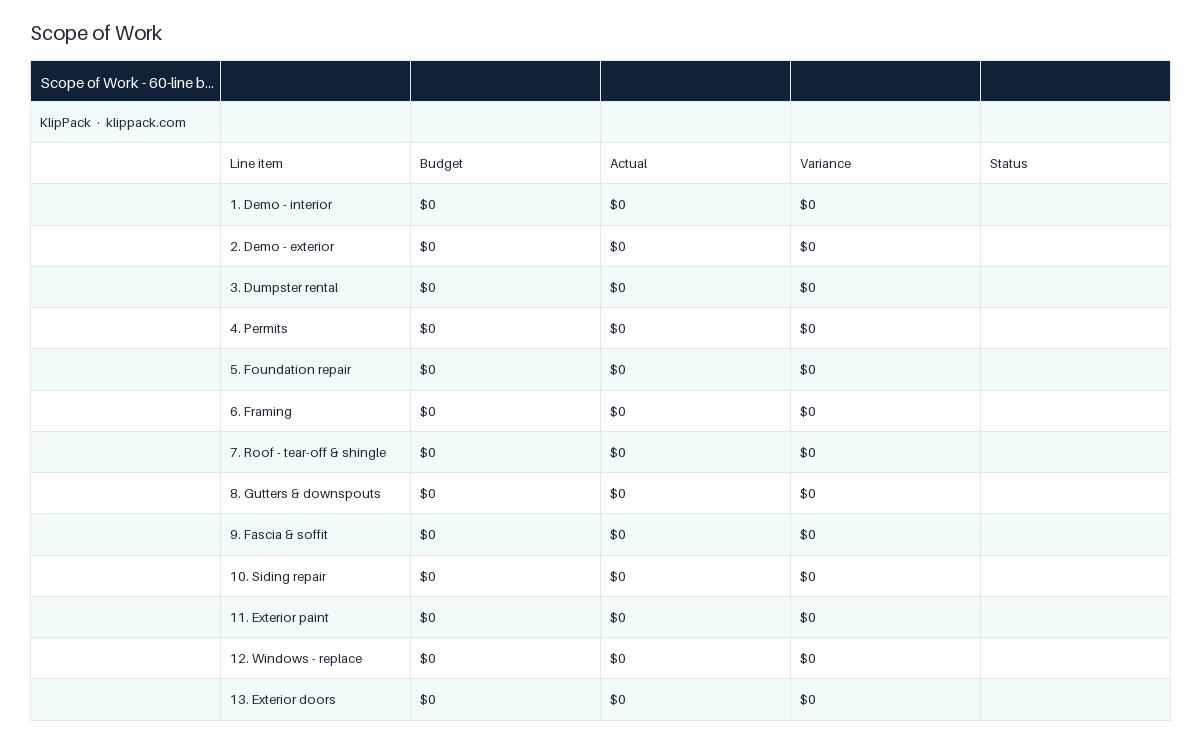
- ✓Scope of Work: 60 line items with budget, actual, variance, and status
- ✓Contractors: 3 bids across 12 trades, low bid chosen by formula
- ✓Draw Schedule: 10 milestones, percent of total and cumulative drawn
Landlord Document Bundle
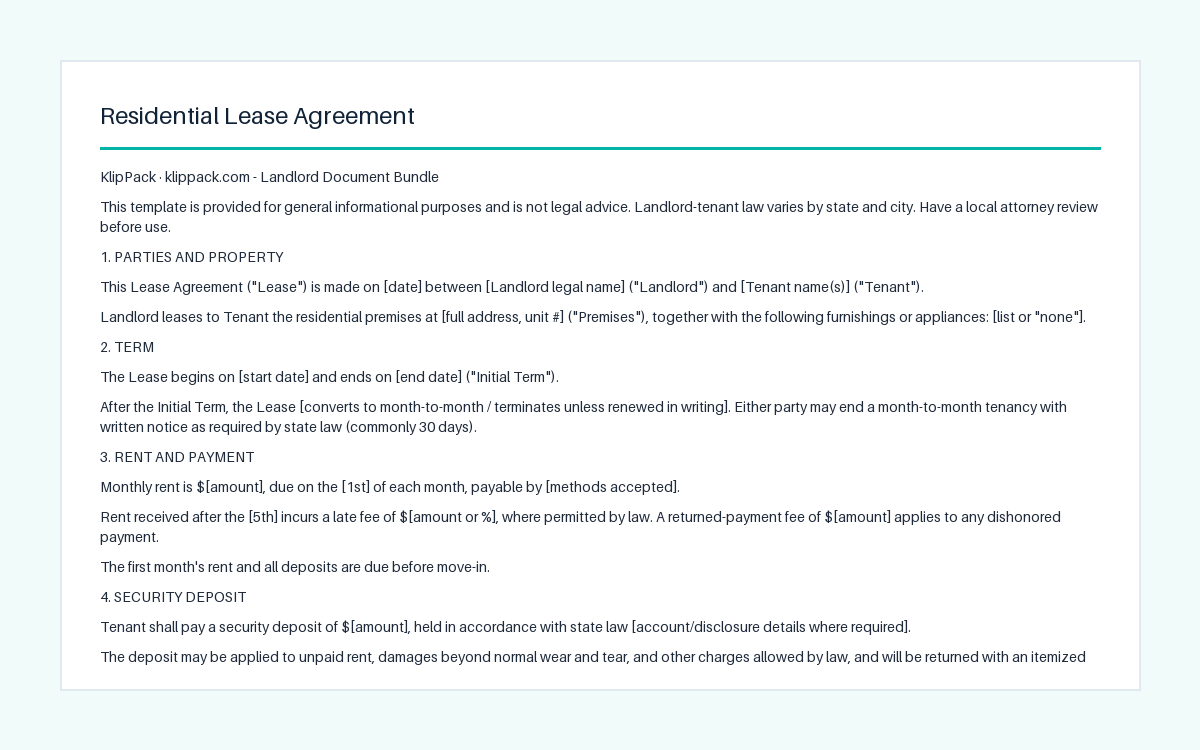
Six editable Word documents that cover a tenancy from application to pay-or-quit
- ✓Residential Lease Agreement: 12 sections, two tenant signatures
- ✓Move-In / Move-Out Checklist: 33 items, OK / Damaged / Missing
- ✓Rental Application: 3-year history, income, background consent
Property Management SOP Templates
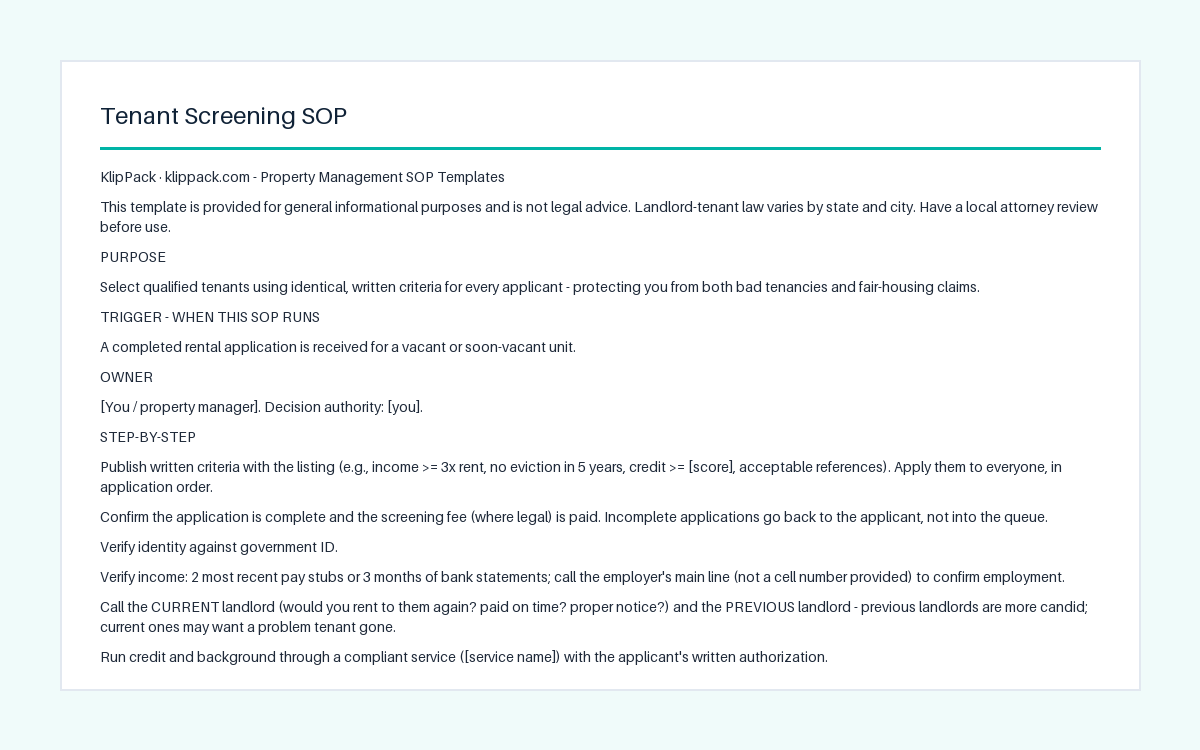
Seven one-page landlord procedures, from tenant screening to eviction, in editable Word
- ✓Tenant Screening SOP: written criteria, ID and income checks
- ✓Lease Signing and Move-In SOP: meeting, deposit, inspection
- ✓Rent Collection SOP: due date, grace period, notice sequence